Ledgerly
CLIENT PROJECTSomeone who wanted the tedious half of tracking money gone.
Photograph a receipt and it files itself — on your phone, and on the web.
Tracking your own money by hand is death by a thousand entries. Every purchase means opening an app, typing the shop name, guessing a category, and getting the amount right. Most people quit around week three, and the picture of where the money actually went is never complete enough to trust.
I built Ledgerly for someone who genuinely enjoys staying on top of their money and wanted the tedious half of it gone. You photograph a receipt; an AI reads the shop, the total, the date, and the category, and files it. You just confirm.
The scanner never files anything silently. Every reading carries a confidence score, and anything short of certain waits in a review queue that says plainly what it made of the photo: “fairly sure”, “unsure — check closely”, or “couldn't read”. You're always the one who says yes.
It runs as an iPhone app for capture and everyday tracking, and a web dashboard for the big-screen view: spending by category, cash flow, net worth, savings goals, and bills coming due. Both sit on one shared core, so an edit on your phone behaves exactly like an edit on the web.
The budget suggestions are deliberately not AI. They're worked out from your own spending history, using maths that ignores a one-off ₱25,000 purchase and refuses to judge a month that's only three days old. Honest, repeatable, and free to run — the AI reads receipts, and stays out of the arithmetic.
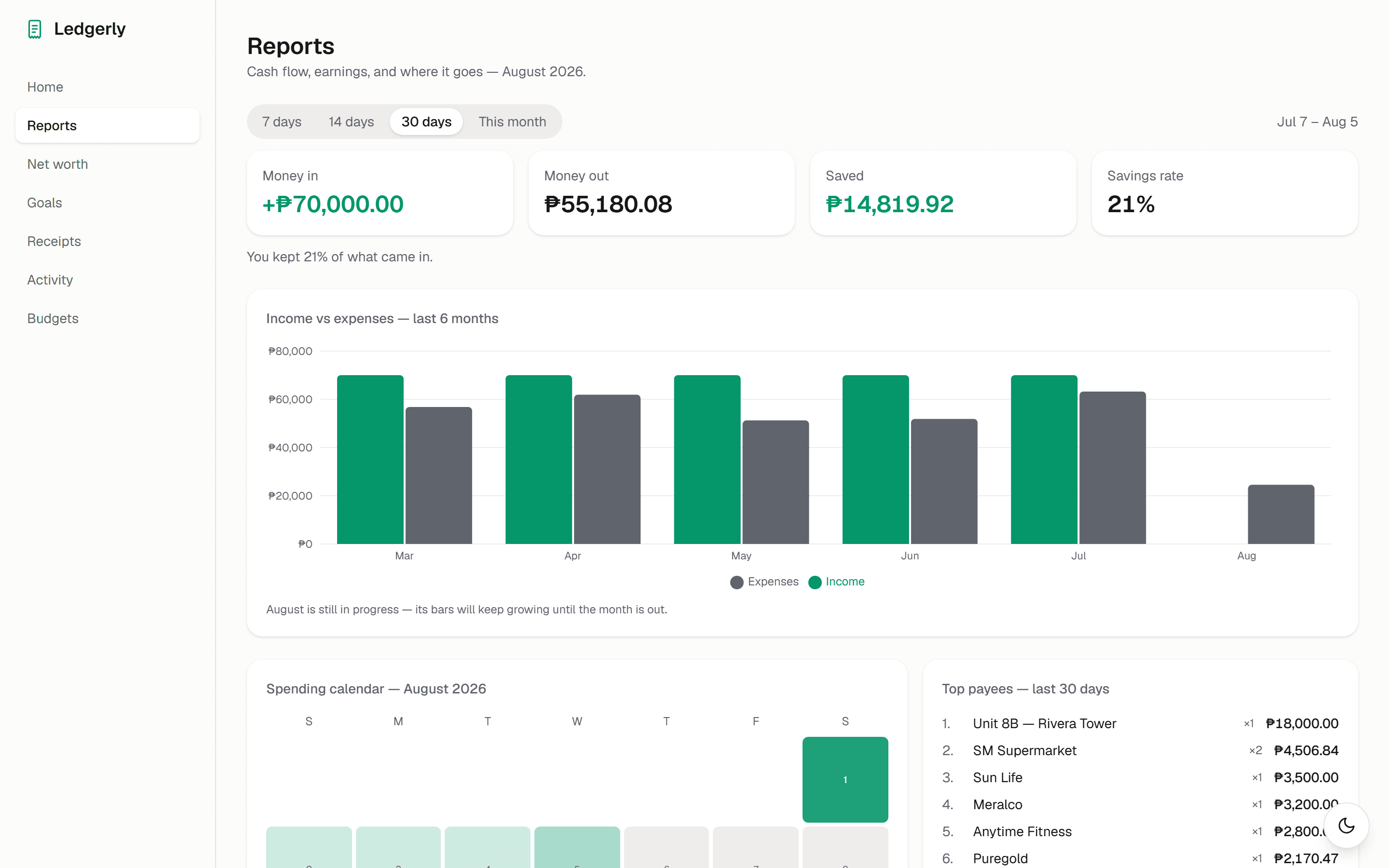
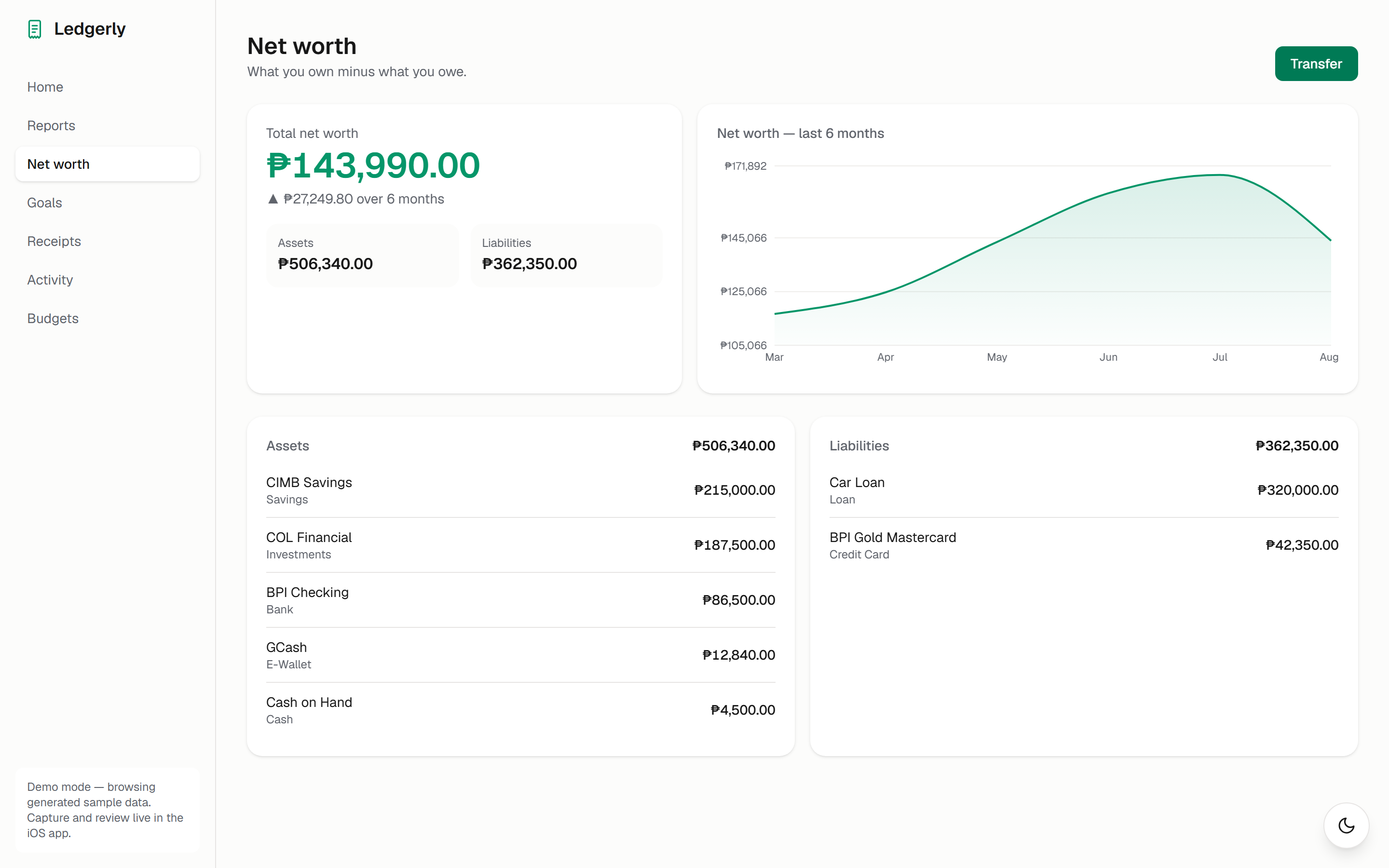
The tedious half of tracking money — typing in shops, totals, and categories — becomes photographing a receipt and tapping confirm. The web dashboard is live and browsable right now on sample data; the iPhone app is what the demo video shows.
Have a problem like this one?
Describe it in your own words. I'll tell you what building the fix would actually involve.
Tell me the problem